The Best AI Translators for Business Meetings (Including the One That Works Before the Meeting Starts)
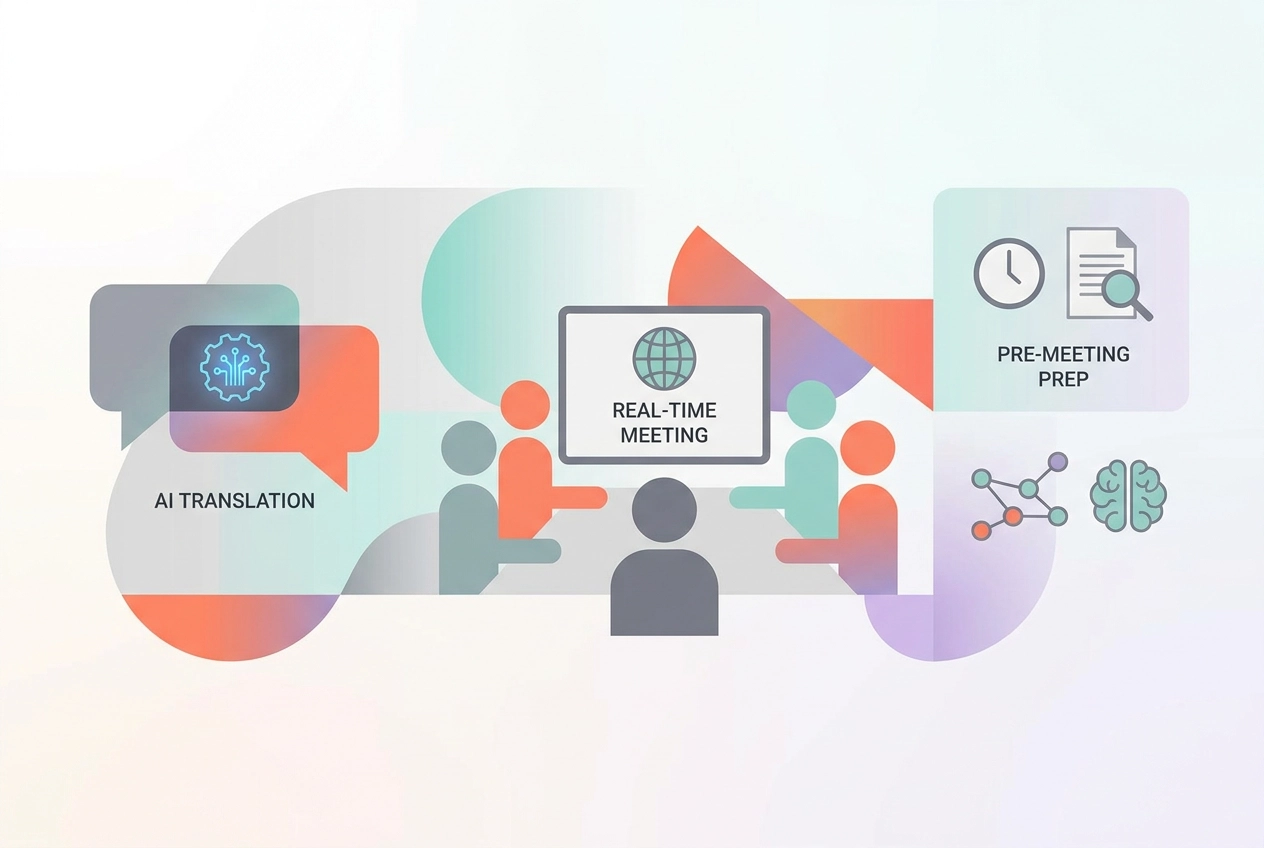
Picture this: you are sitting across from a potential client who speaks a different language, and the deal of the quarter is on the line. Every second of miscommunication costs you credibility, and possibly the contract itself. This is the reality many business professionals face in today's global marketplace.
The good news is that AI translator technology has advanced far beyond simple word-for-word substitution. Modern solutions now capture tone, context, and industry-specific terminology with impressive accuracy. More importantly, the best tools do not just help you during a conversation; some of them prepare you well before you ever enter the room.
In this post, we have rounded up the top AI translator options built specifically for business meeting environments. Whether you need real-time interpretation during a live call, translated meeting notes afterward, or pre-meeting language preparation to help you make the right first impression, there is a solution on this list for you. By the end, you will know exactly which tool fits your workflow, your budget, and your communication goals.
The Real Translation Problem in Business Meetings
When most professionals search for an AI translator, they are thinking about one problem: converting spoken language across linguistic lines during a live meeting. That problem is real, and the tools addressing it are improving rapidly. But there is a second, costlier translation problem that rarely gets named. Attendees routinely arrive at meetings without having fully absorbed the briefing documents, reports, or context materials distributed in advance. The result is predictable: the opening minutes of the meeting become a verbal summary of information that should have been processed beforehand, consuming time that was supposed to be reserved for decisions.
This distinction matters more now than ever. The US AI Meeting Assistants Market was valued at $1.19 million in 2024 and is projected to reach $15.35 million by 2035, growing at a 26.2% CAGR, according to Market Research Future. That trajectory confirms that AI meeting tools have moved from experimental to foundational. Meanwhile, multilingual business communication research from 2026 estimates that language barriers cost businesses approximately $2.1 trillion annually in lost revenue worldwide, underscoring how severely communication gaps damage organizational performance at every stage of the meeting lifecycle.
The professionals encountering these tools are not newcomers. Per Gallup (October to November 2025), 38% of US workers are now frequent AI users, meaning most people evaluating an AI translator are already refining an existing toolkit, not building one from scratch.
Two distinct categories have emerged in response to these challenges. The first covers real-time language translation, which converts speech across languages during a live call. The second covers knowledge translation, which converts complex documents into digestible formats before a meeting begins. Understanding how AI is breaking communication barriers across contexts makes clear that these categories serve different moments in the workflow and cannot substitute for each other. Choosing the right tool starts with identifying which problem you are actually trying to solve.
Category A: Real-Time Language Translation Tools
Real-time voice translation has moved firmly into mainstream adoption, driven by the reality that distributed global teams now collaborate across borders as a matter of routine. The expectation has shifted accordingly: translation must happen live, inside the conversation, without added friction or extra steps. According to Wordly's 2026 guide to AI translators, leading tools in this space are already trusted by millions of users across more than 100 countries, and the category continues to accelerate alongside remote and hybrid work adoption.
It is worth being precise about what these tools actually solve. Real-time translation tools target the language barrier during meetings, not the knowledge gap before them. A team member who cannot follow spoken conversation in another language needs a different solution than one who lacks context on the documents being discussed. Conflating these two problems leads to selecting the wrong tool entirely.
When evaluating options in this category, three variables consistently prove most consequential: pricing structures (which range from per-user subscriptions to per-event enterprise quotes), integration depth (whether the tool works natively inside Zoom, Teams, or Google Meet), and transcription accuracy under real conditions such as technical vocabulary and background noise. Per Maestra's roundup of real-time meeting translators, multilingual support now functions as a baseline expectation rather than a differentiating feature; tools lacking meaningful language breadth face a competitive disadvantage in a global workforce.
Each tool reviewed below follows a consistent structure: what it does, who it is best suited for, its key limitation, and pricing where available.
Maestra: Best for Live Voice Translation Across Languages
Maestra Live Translate is a browser-based AI translation platform built specifically to eliminate language barriers during live conversations. Supporting 125+ languages across 150+ countries, it captures spoken input, generates live captions, and delivers translated output in near-simultaneous fashion, with no software installation required. The platform's two-way translation capability is particularly valuable, allowing participants on both sides of a conversation to speak in their native language while automated translation runs in both directions simultaneously.
Best for: International teams holding live calls where participants speak different primary languages and require real-time translation to follow the conversation without relying on a human interpreter. Maestra integrates directly with Zoom and Microsoft Teams, making adoption straightforward for organizations already operating within those environments.
The tool positions itself firmly in the during-meeting translation space, which is proliferating rapidly in 2026 as distributed global teams scale up cross-border collaboration. That said, Maestra's core limitation deserves clear recognition: it resolves the language barrier once a meeting is already underway, but it does nothing to close the knowledge gap that exists before the call begins. Attendees may understand what is being said in real time, yet still lack the background context needed to contribute meaningfully or make informed decisions.
For multilingual organizations seeking comprehensive meeting effectiveness, Maestra works best when paired with a preparation-focused tool that ensures attendees arrive already informed on the subject matter at hand.
Fireflies.ai: Best for Multilingual Transcription and CRM Integration
Fireflies.ai sits in a different category from live translation tools. Rather than converting speech between languages in real time, it captures, transcribes, and processes meeting content across more than 100 languages, then routes that structured data into downstream business systems. That combination makes it one of the more capable post-meeting intelligence platforms available for revenue-focused teams.
The tool's core value proposition is the pairing of broad multilingual transcription with deep CRM connectivity. Sales and customer success teams that regularly conduct client calls in mixed-language environments can rely on Fireflies to generate accurate transcripts, extract action items, and push summarized meeting records directly into HubSpot or Salesforce without manual data entry. Fireflies claims 95% transcription accuracy, which is competitive within the category, though accuracy may vary across less common languages.
Pricing starts at $18 per user per month on the monthly Pro plan, placing it at the higher end of the transcription tool segment. Full CRM integration requires the Business plan at $29 per user per month. Teams that heavily use AI features should also budget for potential credit overages, which reviewers have reported can add $15 to $50 per month in practice. Reviewing the Fireflies pricing breakdown carefully before committing is advisable for larger teams.
The key limitation that applies here, as with every post-meeting tool in this list, is timing. Fireflies captures value after the meeting concludes, or at best during it. There is no mechanism within the platform to prepare attendees before a meeting starts; no briefing documents, no pre-read summaries, no personalized context delivered ahead of the first agenda item. Teams that arrive under-informed still face the same background catch-up problem that slows decisions. For organizations that need both post-meeting CRM hygiene and pre-meeting preparation handled intelligently, Fireflies covers the former but leaves the latter entirely unaddressed.
Otter.ai: Best for Accessible Note-Taking With Multilingual Support
Otter.ai is one of the most widely adopted AI note-taking tools available, and its appeal is straightforward: low setup friction, a genuinely usable free tier, and automatic transcription that works across the major video conferencing platforms including Zoom, Microsoft Teams, and Google Meet. Its multilingual support is available on all plans, including the free Basic tier, making it accessible to distributed teams that need transcripts shared across a multilingual group without committing to a paid subscription immediately.
Best for: Teams that want an affordable, low-friction entry point into AI-assisted meeting documentation. The Pro plan, billed annually, comes to approximately $8.49 per user per month, making it one of the most competitively priced options in this category. For teams new to AI meeting tools, it functions as a reasonable default with minimal configuration required.
Key limitation: Otter.ai operates on a reactive model. It captures what is said once a meeting is already underway. It does not brief attendees on relevant background, prior decisions, or contextual documents before the meeting begins. According to a July 2026 review of Otter.ai, the tool excels at real-time transcription and post-meeting knowledge capture, but those strengths do not translate into pre-meeting readiness. In high-stakes decision-making contexts, arriving uninformed and relying on live catch-ups remains a persistent problem that transcription alone cannot solve. Teams that need attendees prepared before the conversation starts will find Otter.ai's model structurally insufficient for that purpose.
Category B: AI Knowledge Translation Tools
While Category A tools solve the language barrier during meetings, a distinct and newer challenge sits upstream: the knowledge barrier before meetings begin. This is the domain of AI knowledge translation tools, a category focused on converting dense internal documents, reports, and briefing materials into formats that attendees can actually absorb before they enter the room.
The cost of arriving underprepared compounds quickly. When multiple attendees lack shared context, the meeting's opening block gets consumed by background catch-up rather than substantive decisions. That wasted time multiplies across every person present, and it repeats with every meeting that follows the same pattern. According to research cited by aivancity.ai, organizations integrating AI into collaborative processes have seen 25 to 30% improvements in meeting-related productivity, largely by eliminating exactly this kind of friction.
Personalization is what separates genuine knowledge translation from generic summarization. A single 40-page quarterly review contains entirely different relevant information for a finance lead, a project manager, and an executive. One-size-fits-all summaries force each reader to extract their own signal, which defeats the purpose entirely.
The AI meeting assistants market is forecast to grow at a 26.2% CAGR through 2035, reflecting demand that extends beyond real-time assistance toward reducing total meeting overhead. Tools in this category are fewer and newer, but that scarcity signals opportunity. This is where Quorum operates, transforming existing company documents into personalized, role-specific audio briefings so every attendee arrives informed and ready to decide.
Quorum: Best for Personalized Pre-Meeting Audio Briefings
Quorum occupies a category that no other tool in this list enters: automated, per-attendee pre-meeting audio briefings. The platform ingests documents your organization already has, including files from SharePoint, OneDrive, and Microsoft Teams, and converts them into a distinct five-minute podcast episode for each meeting attendee, calibrated to that person's role and responsibilities. The result is genuinely personalized preparation. Your CFO hears the financial impact. Your CMO hears the campaign narrative. Each attendee arrives carrying exactly the context their role demands, rather than skimming a generic summary that serves no one particularly well.
Best for: organizations running regular, high-stakes meetings where background material is dense and preparation quality directly shapes decision quality. Strategy reviews, board meetings, client briefings, and project updates all fit this profile. These are contexts where uneven preparation is costly, catch-up conversations consume the first quarter of every meeting, and a single shared document fails to serve a cross-functional room equally.
The defining differentiator is timing. Every other tool covered in this article operates during or after a meeting. Quorum works before the meeting starts, targeting the knowledge gap rather than the language barrier. The five-minute audio format is designed for low-friction consumption: a commute, a gap between calls, or two minutes in the corridor outside the meeting room. This reflects one of the most significant AI trends heading into 2026, where enhanced personalization has shifted from a product feature into a competitive requirement.
For teams already using Maestra or Fireflies.ai for real-time translation and transcription, Quorum functions as a natural complement rather than a replacement. Those tools handle the language barrier during and after the meeting. Quorum handles the knowledge barrier before it begins. Together, they cover the full meeting lifecycle across preparation, live conversation, and post-meeting follow-up, which is a combination no single tool currently delivers end-to-end.
Fellow.ai and Notion: Structured Meeting Management Without True Pre-Meeting Prep
Fellow.ai is a structured meeting management platform priced from $11 per user per month, covering agendas, talking points, AI-generated summaries, and action item tracking across the meeting lifecycle. It is a well-regarded tool for teams that struggle with disorganized meetings, earning an average review score of 8/10 and holding SOC 2 Type II, GDPR, and HIPAA compliance certifications. However, improving meeting organization is not the same as preparing attendees before they enter the room. Fellow's "pre-meeting prep" features center on agenda building and reviewing notes from previous sessions; they do not ingest background documents and convert them into attendee-specific briefings tailored to each participant's role or context.
Notion occupies an adjacent space as a central knowledge repository where teams store meeting notes, project documentation, and institutional context. The Fellow–Notion integration, updated in early 2026, pushes meeting summaries and transcripts into Notion databases automatically, reducing the risk of information getting buried. The limitation is that Notion is a destination, not a delivery mechanism. Attendees must know which page is relevant, navigate to it, read it, and synthesize it independently before each meeting.
The distinction between these two categories matters in practice. Knowing a document exists in Notion and genuinely arriving at a meeting informed are two different outcomes. Teams using Fellow for agenda management and Notion for documentation often find the individual preparation gap remains unaddressed, because neither tool was designed to proactively translate stored context into personalized, ready-to-consume content for each specific attendee before a meeting begins.

What Most AI Translators Still Do Not Address
The gap running through this entire category is structural, not accidental. Every tool reviewed in this list, and virtually every tool in the broader AI meeting assistant market, is built around what happens during or after a meeting. Real-time translation, live captions, post-call summaries, action item extraction: these are the jobs the category has organized itself to solve. The before-meeting preparation stage remains unaddressed across the board, which means no single vendor has dropped the ball. The entire competitive architecture simply does not extend that far upstream.
The cost of this blind spot is straightforward to quantify, even if no tool currently does so. In a 10-person meeting where the first 15 minutes are consumed by catch-up and context-setting, that represents 150 person-minutes of wasted time in a single session. For an organization running 30 such meetings per month, the aggregate loss exceeds 4,500 person-minutes, or roughly 75 person-hours, every month. That figure compounds across departments and fiscal quarters without most organizations ever putting a number to it.
Multilingual pre-meeting preparation introduces an adjacent dimension that remains entirely open. Current AI translator tools serve multilingual teams during live sessions, supporting dozens of languages in real time. What none of them address is whether those same team members can receive pre-meeting briefing materials or audio summaries in their preferred language before the call begins. This is the next logical frontier, and tools like Quorum are positioned to occupy it.
Personalized pre-meeting content delivery at scale is emerging as a defining 2026 AI trend, yet the competitive set has not moved in this direction. That absence represents a clear first-mover window in a market projected to grow from $1.497 million in 2025 to $15.35 million by 2035.
Finally, any organization evaluating tools in this space should ask pointed questions about data handling. Pre-meeting audio briefings introduce new data types, including synthesized voice files, sensitive agenda content, and personal scheduling information. How those assets are stored, processed, and protected under frameworks such as GDPR is a question worth resolving before adoption.
How to Choose the Right AI Translator for Your Team
Selecting the right tool starts with an honest diagnosis of where your team actually loses time. The tools covered in this list fall into two distinct categories, and conflating them leads to poor purchasing decisions. If your team regularly includes participants who speak different primary languages, a live translation tool addresses that friction directly. If your team shares a language but consistently walks into meetings underprepared, a knowledge translation tool like Quorum addresses a fundamentally different problem. Identify which cost is higher before evaluating any platform.
1. Map the problem to the phase of the meeting lifecycle. The most effective AI-assisted meeting programs address preparation, execution, and follow-up as a connected sequence rather than isolated moments. A tool that only captures transcripts leaves pre-meeting knowledge gaps untouched. A tool that only handles live translation leaves post-meeting follow-up to manual effort. Audit your current workflow across all three phases and identify where the largest gaps exist before committing to a single solution.
2. Evaluate personalization depth before assuming summaries are equivalent. A tool that delivers identical output to every attendee treats a department head, a first-time participant, and a subject-matter expert as interchangeable. They are not. Look specifically for whether a platform can tailor content by role, department, or individual context. Generic summaries reduce effort; personalized briefings improve decisions.
3. Prioritize integration fit over feature breadth. Any tool that introduces new manual steps degrades its own value proposition. Evaluate whether a platform connects to the systems your team already uses, from calendar software to CRM platforms, and assess the realistic setup cost before committing.
4. Run a focused pilot before scaling. Choose one recurring meeting type, introduce one tool, and measure three things: whether preparation time decreases, whether in-meeting catch-ups are reduced, and whether decision quality improves. Use that evidence to guide broader rollout rather than adopting tools speculatively.
Conclusion: Translate Language and Knowledge, Not Just One
The right AI translator for your team is the one that solves the translation problem you actually have. Real-time tools like Maestra, Fireflies.ai, and Otter.ai are mature, well-priced, and reliable for multilingual teams that need live transcription and language support during calls. If language barriers are your primary friction point, any of those three options will close that gap effectively.
For teams whose bigger obstacle is arriving underprepared, Quorum addresses a fundamentally different challenge. Its pre-meeting podcast format is the only tool in this category built specifically around the knowledge gap before meetings begin, converting existing company documents into personalized five-minute audio briefings that replace catch-up time with decision-ready context.
The most effective meeting programs pair both categories together: personalized knowledge preparation before the meeting and real-time language support during it. These tools do not compete; they complement each other across different stages of the meeting lifecycle.
Start by auditing one recurring meeting where preparation quality is inconsistent. Identify which gap is costing your team the most, whether that is a language barrier or a knowledge barrier, and build your tool stack from that first, focused win.