Microsoft Copilot vs. Notion AI vs. Claude: Which Meeting Co-Pilot Prepares Your Team?
Every minute spent in an unproductive meeting is a minute your team will never recover. With the average professional sitting through 23 hours of meetings per week, the pressure to make every session count has never been higher. That is where having a reliable co-pilot for your meetings can completely transform how your team prepares, collaborates, and executes.
But not all AI meeting assistants are built the same. Microsoft Copilot, Notion AI, and Claude each bring distinct strengths to the table, and choosing the wrong one could mean leaving serious productivity gains on the floor. This comparison breaks down exactly how these three platforms perform when it comes to pre-meeting preparation, agenda building, note-taking, and follow-through.
Whether you are managing cross-functional projects, leading weekly standups, or preparing for high-stakes client calls, understanding which co-pilot best fits your workflow is a decision worth making carefully. By the end of this post, you will have a clear picture of which tool deserves a seat at your next meeting.
The Meeting Productivity Paradox AI Has Not Solved Yet
The numbers tell a damning story. According to Salesforce's 2025 Small Business Trends Report, 63% of small business employees say they waste at least two hours per day on repetitive tasks that AI could handle, yet the tools dominating the $14.2 billion AI productivity market (Gartner, 2025) are almost entirely focused on what happens after the meeting ends. Transcripts get summarized. Action items get extracted. Recaps get drafted. The post-meeting cleanup layer is thoroughly addressed. The pre-meeting preparation layer is not.
This gap has real consequences. According to meeting waste research compiled for 2026, 71% of meetings are deemed unproductive, knowledge workers now spend 15 to 17 hours per week in meetings, and the annual cost to US businesses exceeds $37 billion. A significant driver of that waste is structural: attendees consistently arrive without shared context, forcing the opening minutes of most meetings into background catch-up rather than decision-making. No current co-pilot tool is designed to eliminate that specific failure.
The adoption data sharpens the paradox further. Forrester's 2025 Digital Worker Survey found that 71% of knowledge workers would use embedded AI features daily, yet Microsoft's own Work Trend Index research confirms that the meeting intelligence tools receiving the most investment remain oriented toward post-event querying, recap generation, and transcript summarization. The 24 hours before a meeting starts remain an AI-free zone across every major platform.
The framing for this comparison follows directly from that reality. AI co-pilots in 2026 are solving the wrong half of the meeting problem. Each tool reviewed here will be evaluated through that lens honestly.
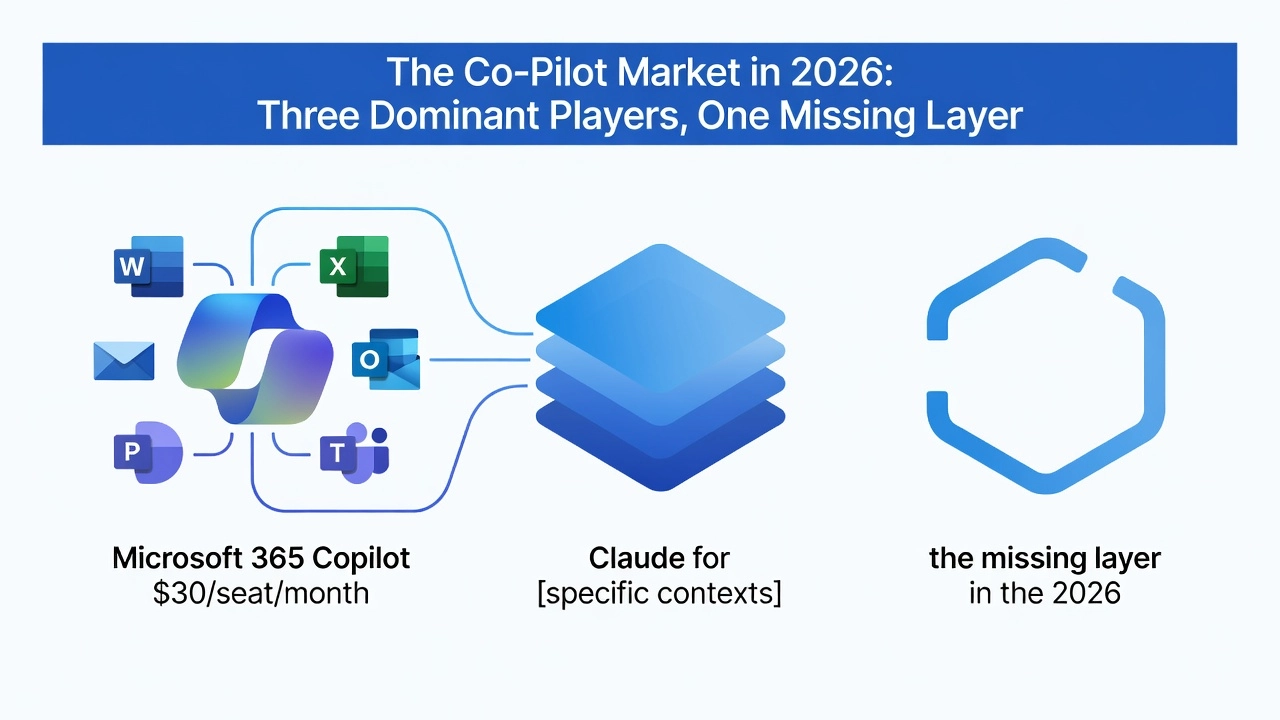
The Co-Pilot Market in 2026: Three Dominant Players, One Missing Layer
The 2026 AI productivity landscape has consolidated around three dominant platforms, each occupying a distinct workflow context. Microsoft 365 Copilot at $30/seat/month sits inside Word, Excel, Outlook, PowerPoint, and Teams, making it the default choice for Microsoft-shop organisations. Claude for Teams at $25/seat/month operates as a standalone assistant optimised for deep reasoning and analytical tasks. Notion AI at $10/seat/month serves teams already running projects inside Notion's docs and databases. Together, these three tools define the competitive baseline for any meeting team evaluating AI co-pilot options in 2026.
Adoption data makes one thing clear: proximity drives usage. Embedded AI tools see 3.4x higher daily active usage than standalone alternatives, according to Microsoft's 2025 Work Trend Index. Forrester's 2025 Digital Worker Survey reinforces this, finding that 71% of knowledge workers would use AI features multiple times daily if embedded in their primary work app, compared to just 28% for standalone assistants. That 43-point gap means the question of where a co-pilot lives is not merely a deployment detail; it is the primary adoption lever.
What none of these platforms address, however, is the pre-meeting layer. Post-meeting intelligence, including recaps, summaries, action item extraction, and decision logs, is already table stakes across all three tools. According to enterprise productivity benchmarks from 2026, organisations are saving thousands of hours annually through automated meeting follow-up. That layer is saturated.
Pre-meeting preparation is structurally absent. No dominant platform currently delivers role-relevant context to each attendee before a meeting begins, whether that means surfacing prior decisions, open action items, or background documents tailored to each participant's responsibilities. This is not a minor feature gap; it is a missing layer in an otherwise well-covered meeting workflow.
The phrase "co-pilot for meetings" currently belongs to no dominant brand in either product naming or search positioning, as analysis of the 2026 AI copilot market confirms the term is applied generically across coding, CRM, and productivity tools without a clear meeting-specific owner. For teams and tools focused specifically on pre-meeting preparation, that unoccupied position represents a rare early-mover window in an otherwise crowded market.
Head-to-Head: Meeting Co-Pilot Feature Comparison
The table below maps each tool across five critical dimensions to make the trade-offs concrete and actionable.
Dimension | Microsoft 365 Copilot | Notion AI | Claude for Teams | Quorum |
|---|---|---|---|---|
Price/seat | $30/mo | $10/mo | $25/mo | Meeting-specific |
Workflow home | M365 suite (Teams, Outlook, Office) | Notion workspace only | Standalone/chat | Meeting-specific |
Meeting focus | During + post-meeting | None | None | Pre-meeting |
Audio format | File-to-audio (not personalized) | None | None | Personalized audio briefings |
Per-attendee personalization | No | No | No | Yes |
Microsoft 365 Copilot at $30/seat is the most feature-complete general productivity co-pilot in this comparison, embedded across Teams, Outlook, Word, and SharePoint. Its meeting coverage is strongest at the during and post-meeting layers, with capabilities including live recaps, decision logging, and task extraction. It does offer an Audio Overview feature that converts file content into audio summaries, but this is a document-level function, not a meeting-prep tool. Crucially, it generates no per-attendee output, meaning every participant receives the same undifferentiated summary regardless of their role or context. According to Best Enterprise AI Platforms 2026, the platform also requires an existing M365 E3 or E5 base license, adding real cost beyond the headline price.
Notion AI at $10/seat is the most affordable option but also the weakest meeting co-pilot by a significant margin. It operates exclusively within the Notion workspace, offers no meeting-specific workflows, no audio capabilities, and no calendar or communication integration. For teams whose work lives outside Notion, it provides essentially no meeting value.
Claude for Teams at $25/seat operates as a standalone, chat-first interface. Without native integration into meeting platforms, calendars, or document repositories, users must manually bring context to every interaction. There is no audio briefing capability and no meeting lifecycle coverage at any stage.
Quorum occupies a completely different position in this comparison. Rather than competing at the during or post-meeting layer where the market is already saturated, it addresses the pre-meeting gap none of the other three tools touch. The platform transforms existing company documents into personalized five-minute audio briefings tailored for each individual attendee before the meeting begins. Per What's New in Microsoft 365 Copilot, May 2026, even the most advanced enterprise co-pilot on the market continues to invest in during and post-meeting features, leaving the pre-meeting preparation layer structurally unaddressed by every major competitor.
Microsoft 365 Copilot: Powerful After the Meeting, Silent Before It
Microsoft 365 Copilot earns its reputation within the Microsoft ecosystem. During Teams calls, attendees can query Copilot in real time, asking for context, summaries, or clarifications without disrupting the meeting flow. After the call ends, Copilot automatically generates structured recaps, logs decisions, extracts action items, and surfaces follow-up tasks, all delivered inside the tools teams already use every day. The agenda-drafting capability adds another layer of utility, letting users build meeting agendas directly from existing documents in Word or Outlook. For organizations already living inside Microsoft 365, this depth of integration is genuinely compelling.
Copilot's Audio Overview feature is worth examining specifically. It converts files into AI-generated audio summaries, making it the closest analog to an audio-first briefing format among major productivity platforms. However, the distinction matters: Audio Overview produces a single generic summary of a document, not a role-specific briefing tailored to what a particular attendee needs to know before walking into a specific meeting. A finance director and a product lead preparing for the same meeting would receive identical audio output, rather than context curated to their individual responsibilities and decisions.
On productivity impact, Microsoft's 2025 Work Trend Index documents measurable gains for Copilot users, with time savings concentrated in document drafting, email summarization, and post-meeting processing. The same report, drawn from survey data across 31,000 workers in 31 countries, found that the average worker now receives 117 emails and 153 Teams messages per workday, precisely the volume problem Copilot's summarization features are built to address.
The pricing structure creates a real accessibility barrier. At $30 per seat per month, Copilot is the most expensive option among the dominant platforms, and it requires an active Microsoft 365 subscription as a prerequisite. Smaller teams or organizations running non-Microsoft stacks face a meaningful adoption hurdle before they can access a single feature.
The structural limitation, however, runs deeper than price. According to Microsoft's own Work Trend data, PowerPoint edits spike 122% in the ten minutes before a meeting begins, and 60% of meetings are now ad hoc rather than scheduled. These figures paint a clear picture: attendees routinely arrive underprepared. Copilot activates during and after the meeting. It does not solve the moment before the call starts, when each participant needs role-relevant context to engage meaningfully rather than spend the first fifteen minutes getting up to speed.
Notion AI: A Strong Workspace Assistant That Is Not Built for Meetings
At $10 per seat per month, Notion AI is the most accessible entry point into AI-assisted productivity among the tools reviewed here. It delivers genuine value across writing assistance, document summarization, and knowledge base management for teams already operating within the Notion ecosystem. Trusted by 98% of the Forbes Cloud 100, including OpenAI, Figma, and Toyota, Notion has earned its status as a serious enterprise workspace platform. The AI layer built into it reflects that pedigree, with strong capabilities for drafting, editing, internal search, and even custom agents that automate repetitive tasks like Q&A routing and weekly reporting.
The May 2025 "Notion AI for Work" release expanded these capabilities further, introducing Research Mode, Enterprise Search with citations, and AI Meeting Notes. That last feature is worth examining closely, because it illustrates exactly where Notion AI's structural limitations become relevant for meeting-specific use cases. Notion's own framing of AI Meeting Notes focuses on post-meeting capture, solving the problem that "decisions, ideas, and insights are lost as soon as the meeting ends." This is a reactive capability, not a proactive one. There is no native meeting scheduling integration, no audio briefing format, and no mechanism to automatically surface relevant documents to attendees before a call begins.
This gap is most visible in the moments leading up to a meeting. A true meeting co-pilot must monitor calendars autonomously, identify which documents are relevant to which attendees, and deliver that context in a consumable format without requiring a human to initiate the request. Notion AI, as a prompt-driven workspace assistant, does not operate this way. It responds to user input rather than proactively preparing outputs ahead of scheduled events.
For teams whose primary home is Notion for project management and documentation, the AI layer adds real value adjacent to meetings: drafting agendas, searching internal wikis, and organizing follow-up notes. That is a legitimate use case. But it is not the same as meeting intelligence.
Honest verdict: Notion AI is a capable general-purpose workspace assistant positioned for broad productivity gains. Teams evaluating tools specifically for meeting co-pilot functionality, particularly pre-meeting preparation and attendee-specific briefing, will find it under-equipped for that defined use case.
Claude for Teams: Excellent Reasoning, No Meeting-Native Home
At $25 per seat per month, Claude for Teams represents Anthropic's serious push into the enterprise productivity market. In 2026, it is widely recognized as the strongest large language model available for nuanced reasoning, long-document analysis, and precise instruction-following. Practitioners consistently highlight its superiority for finance and research memos, brand voice drafting, and structured business synthesis tasks requiring deep contextual understanding. For knowledge workers who regularly engage with dense, complex documents, Claude's reasoning depth is genuinely unmatched in this comparison.
The critical limitation, however, is architectural. Claude for Teams operates as a standalone chat interface with no native integration into calendar systems, meeting platforms, or communication tools. While the platform's Research feature can connect to Gmail, Google Calendar, and Google Docs when connectors are manually enabled, this integration does not trigger automatically based on upcoming calendar events. Every workflow must be manually initiated. Users need to open Claude, establish context from scratch, and deliberately prompt the tool with the right inputs. As one practitioner guide notes, the average Claude user spends 10 to 15 minutes per day simply re-establishing context, adding up to more than an hour of friction each week.
This manual-effort requirement maps directly to a documented adoption problem. According to Forrester's 2025 Digital Worker Survey, only 28% of knowledge workers would use a standalone AI assistant daily, compared to 71% for tools embedded within their primary work applications. That 43-point gap is not a minor usability detail; it is a structural barrier to consistent adoption.
For meeting workflows specifically, Claude can summarize documents and draft agendas when prompted, but it cannot proactively deliver personalized pre-meeting briefings, adapt content per individual attendee, or produce audio-format summaries. You can explore its broader capabilities through a full Claude AI tutorial for 2026, but the meeting-native functionality simply is not there.
The honest verdict: Claude for Teams is the most powerful reasoning engine in this comparison, but it requires the most deliberate manual effort to apply toward meeting workflows. For teams seeking a dedicated meeting co-pilot, that trade-off is a meaningful disqualifier.
The Layer Every Co-Pilot Ignores: What Happens Before the Meeting
The after-meeting layer is, at this point, a solved problem. Recaps, action item extraction, follow-up email drafts, and catch-up summaries for missed calls are standard features across Microsoft 365 Copilot, Google Meet, Zoom AI Companion, and specialist tools like Otter.ai and Fireflies. The consensus in the project management community has settled around a simple principle: AI is most valuable when it moves teams from recap to momentum. That consensus reflects how comprehensively the post-meeting layer has been addressed. What happens after the meeting is no longer a competitive differentiator.
The before-meeting layer is a different story entirely.
No major co-pilot tool automatically identifies which documents, reports, or prior decisions are relevant for each specific attendee and delivers them in a frictionless format before the meeting begins. Microsoft's "Prepare for your meeting" function in Outlook comes closest, but it is reactive: a user must manually navigate to a calendar event and actively prompt it. The system waits to be asked. That is a meaningful distinction. Automatic, personalized, pushed pre-meeting preparation does not exist at the per-attendee level in any current platform.
This is precisely the gap Quorum is built to fill. The product automatically transforms existing company documents into personalized five-minute audio briefings for each attendee, delivered before the meeting starts. No manual prompting. No document hunting. Each attendee receives context calibrated to their role and relevance, not a generic summary blasted to the full invite list.
The format itself is a deliberate behavioral choice. Calendar blocks are already compressed; asking a senior manager to pre-read a document before a Tuesday 9am meeting is adding friction to a day that has none to spare. A five-minute audio brief can be consumed during a commute, a walk, or a task transition, working within how people actually spend their time rather than competing with it. Microsoft's own Copilot marketing frames audio consumption as the natural use case, acknowledging that listening while moving is how busy professionals absorb information. Quorum applies that same behavioral insight to meeting preparation specifically.
The positioning, critically, is complementary rather than competitive. Copilot owns the during and after; Quorum owns the before. Together, they close the full meeting intelligence loop: attendees arrive informed, decisions happen faster, and the post-meeting summary captures outcomes rather than burning time on context that should have been established before the first slide loaded.
Why the Pre-Meeting Audio Format Reduces AI Adoption Friction
The dominant friction in enterprise AI adoption during 2026 is not capability; it is trust. Microsoft's 2026 Work Trend Index, drawing on responses from 20,000 workers across 10 countries, identifies what it calls the "Transformation Paradox": organisations are rapidly deploying AI while simultaneously failing to build the structural trust required for workers to actually delegate to it. Only one in four AI users believe their leadership is consistently aligned on AI strategy, and 95% of enterprise generative AI pilots have produced no measurable P&L impact, per MIT's Project NANDA, with the cause traced not to model failure but to an organisational learning gap. Higher-autonomy features, such as AI agents sending emails, editing documents, or making scheduling decisions on a worker's behalf, encounter this hesitation directly. Workers see the capability; they do not yet have the trust frameworks to act on it.
Pre-meeting audio briefings sidestep this trust threshold entirely, because the format is informational rather than agentive. The AI informs the human; it does not act for the human. The attendee receives a synthesised briefing before the meeting, processes it, and then decides what to do with the context. No document is edited, no calendar is touched, no email is sent. This passive consumption model sits well below the trust barrier that is blocking adoption of higher-autonomy co-pilot features, which makes it one of the most practically accessible forms of AI assistance available to enterprise teams right now.
The adoption data supports this framing. Embedded AI tools see 3.4x higher daily active usage than standalone alternatives, according to the Microsoft 2025 Work Trend Index, and Forrester's 2025 Digital Worker Survey found that 71% of knowledge workers would use AI features daily if embedded in their primary workflow, compared to only 28% for standalone tools. Pre-meeting audio briefings replicate this zero-friction delivery pattern behaviourally, even without deep software integration. The briefing arrives automatically before a scheduled meeting, requires no prompting, no interface navigation, and no learned behaviour. It mirrors the embedded experience in the only dimension that drives adoption: there is no switching cost.
For teams that have already experienced AI fatigue from early co-pilot rollouts, where workers were expected to learn prompt engineering before seeing any return, this distinction is commercially significant. An audio-first format that requires no delegation of decisions and no interface onboarding offers a credible re-entry point for skeptical teams. It delivers immediate, tangible value in a format already familiar from podcasts and voice briefings, without asking workers to change how they work.
Finally, the ROI frame that matters most to operations and leadership buyers is not hours recovered; it is decision quality at the moment decisions are made. Time savings are the mechanism, but meeting readiness and the quality of judgment that follows are the outcomes leadership is actually buying.
A Note for Swiss and European Teams: Compliance and Context Matter
For Swiss and European organizations evaluating AI meeting tools, the compliance landscape adds a layer of scrutiny that generic co-pilot comparisons routinely overlook. Swiss enterprises operate under a dual regulatory framework: the EU's GDPR and Switzerland's revised Federal Act on Data Protection (nDSG), which mirrors GDPR in structure but introduces its own domestic compliance obligations. Both frameworks impose specific requirements around where meeting content and attendee data is processed, stored, and transferred across borders.
Microsoft 365 Copilot does offer EU data residency options on commercial plans, and correctly configured deployments can achieve a defensible compliance posture. However, enterprise procurement teams should not assume default configurations meet their obligations. Since March 2026, new Microsoft 365 tenants have Flex Routing activated by default, meaning AI inference requests can be routed to data centers outside the EU during capacity peaks without active administrator consent. Separately, the addition of Anthropic as a subprocessor in January 2026 introduced a further complication: when Copilot routes inference through Claude, that data falls outside Microsoft's EU Data Boundary commitments. Teams that completed Data Protection Impact Assessments before January 2026 should treat those assessments as requiring immediate review.
Beyond compliance, Swiss organizations face a distinct usability challenge that standard co-pilot outputs do not resolve. Most AI-generated meeting summaries are delivered in a single output language, creating friction in organizations operating across German, French, Italian, and English. Audio briefings generated in each attendee's working language address this gap directly, reducing comprehension overhead before attendees even enter the room.
Swiss and German-speaking enterprise culture also favors structured, concise, and precise communication. A focused five-minute audio briefing aligns with these professional norms far more naturally than a lengthy AI-generated recap document that buries key decisions in narrative text. Quorum's pre-meeting preparation model, built specifically for meeting-centric teams, addresses both the compliance context and the cultural efficiency standard that Swiss business buyers reasonably expect from any AI tool entering their workflow.
The Verdict: Matching the Right Co-Pilot to Your Meeting Workflow
Each tool in this comparison earns its place under specific conditions. Getting the verdict right means being honest about where each one falls short, not just where it excels.
Choose Microsoft 365 Copilot if your team is already operating inside the Microsoft ecosystem and the bottleneck you feel most acutely is post-meeting: the recap that never gets written, the action items that scatter across inboxes, the follow-up document that takes an hour to draft. At $30 per seat per month, the investment is defensible when those workflows are genuinely costing your team time. Copilot users report saving an average of 1.2 hours per day, and with over 60% of Fortune 500 companies running it at scale, its enterprise credibility is established.
Choose Notion AI when meeting-specific intelligence is not your primary requirement and your team already lives in Notion for documentation, project management, and internal knowledge. At $10 per seat, it delivers the strongest per-dollar value in this comparison. Understand the trade-off clearly: it is a workspace assistant, not a meeting co-pilot.
Choose Claude for Teams when your team regularly works through long, dense documents and needs a rigorous reasoning engine for analysis that goes beyond surface-level summaries. Pair it with an integration layer to connect it to your calendar and meeting context, otherwise its output stays generic.
Add Quorum to your stack when the bottleneck sits before the meeting begins. If attendees arrive underprepared, if the first fifteen minutes burn on context-sharing, and if decision quality suffers because the right information never reached the right people in advance, no post-meeting tool solves that problem. Quorum addresses the gap every other tool in this comparison ignores.
The highest-performing meeting productivity setup in 2026 operates on two layers: a post-meeting tool to capture and process outcomes, and Quorum to ensure every attendee arrives already informed and ready to decide.
Conclusion: The Meeting Co-Pilot Gap Worth Closing
The co-pilot market has built an impressive post-meeting infrastructure. Recaps, action items, decision logs, and follow-up drafts are now table stakes. What remains entirely unaddressed is the layer that determines meeting quality before a single agenda item is discussed: whether attendees actually arrive prepared.
That gap is not a minor inconvenience. It is a decision quality problem. If your team consistently spends the first ten minutes of meetings establishing context rather than advancing decisions, the bottleneck is pre-meeting, not post-meeting. Auditing that workflow honestly is the most actionable step this comparison can offer.
Microsoft Copilot leads on post-meeting depth and ecosystem integration, and that verdict stands. Quorum occupies a different layer entirely, converting existing company documents into personalized, per-attendee audio briefings that attendees consume before the meeting begins. These tools are complementary, not competing.
The smarter move is not choosing between them; it is deploying each where it actually operates. Use your existing co-pilot for recaps and follow-ups. Add Quorum's personalized briefing format to close the preparation gap those tools leave open.
As AI co-pilots become standard infrastructure through 2026 and beyond, competitive advantage will belong to teams that close both halves of the meeting intelligence loop, not just the half that comes after the call ends.